Every Feature Your Organization Needs to Go From Audio to Action

Penguin Scribe is not a single-feature tool. It is a complete platform — built to handle the full lifecycle of organizational audio: capture, transcription, formatting, collaboration, governance, and oversight.

Explore every module that ships with Penguin Scribe and see how they work together to give your teams speed and your organization control.

Easy Integration With Existing EMR and Hospital Systems

Penguin Scribe is built to plug into existing clinical and hospital documentation workflows with minimal friction. Your teams can keep familiar EMR/EHR and HIS processes while adding faster audio-to-text operations.

Instead of forcing system replacement, Penguin Scribe supports practical integration paths so departments can adopt it in stages and maintain continuity in day-to-day patient documentation.

From transcription output handling to role-aware governance, the platform is structured for enterprise healthcare environments where security and auditability are non-negotiable.

Capture Audio Instantly — No Software Required

Penguin Scribe voice recorder interface

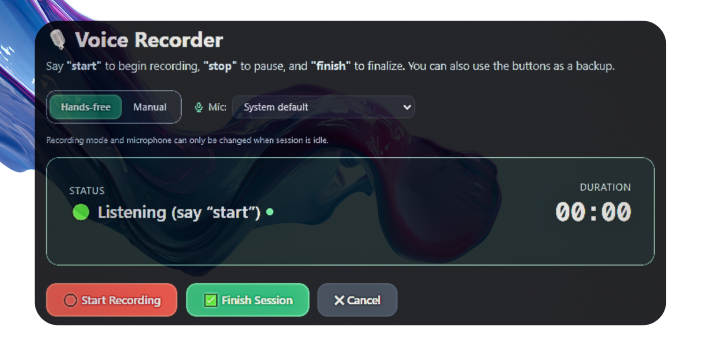
Penguin Scribe's built-in browser recorder lets any team member start capturing audio with a single click — directly from Chrome, Edge, or any modern browser. No plugins, no downloads, no IT tickets.

The recording interface manages the full capture flow: start, pause, and stop controls with live state feedback. Once a recording is complete, users can preview playback before committing — so nothing gets saved that shouldn't be.

Saved recordings are automatically scoped to the user's company workspace, where they become part of the shared tenant recordings library and are instantly available for transcription.

From Audio File to Structured Text — In Seconds

Penguin Scribe transcription interface

The transcription engine is the heart of Penguin Scribe. Upload an audio file or select any recording from the company library and the platform handles the rest — processing the audio through a configurable AI-assisted transcription pipeline and delivering clean, readable text.

The pipeline supports optional audio preprocessing through FFmpeg integration, including silence trimming and normalization, ensuring that transcription quality is not compromised by raw audio imperfections.

Transcription results are stored and linked to their source recording, building a connected record of every audio-to-text conversion in the organization's history.

Built for High-Volume Teams That Need More Flexibility

These advanced capabilities are available only in Pro and Enterprise plans.

Realtime Transcription

See transcript output appear while audio is being captured, so teams can review and act faster during live sessions.

Realtime transcription usage is counted against your plan's monthly transcription-hour quota.

Ideal for consultations, operational briefings, and fast-turnaround documentation workflows where every minute matters.

Pro and Enterprise Only
Isolated Recording Sessions

Start a recording, stop it, create a completely new recording session, and later continue working with the previous audio whenever needed.

This supports interrupted workflows without losing continuity, making it easier for teams handling multiple parallel cases.

Pro and Enterprise Only

Review, Edit, and Organize Every Transcript in One Place

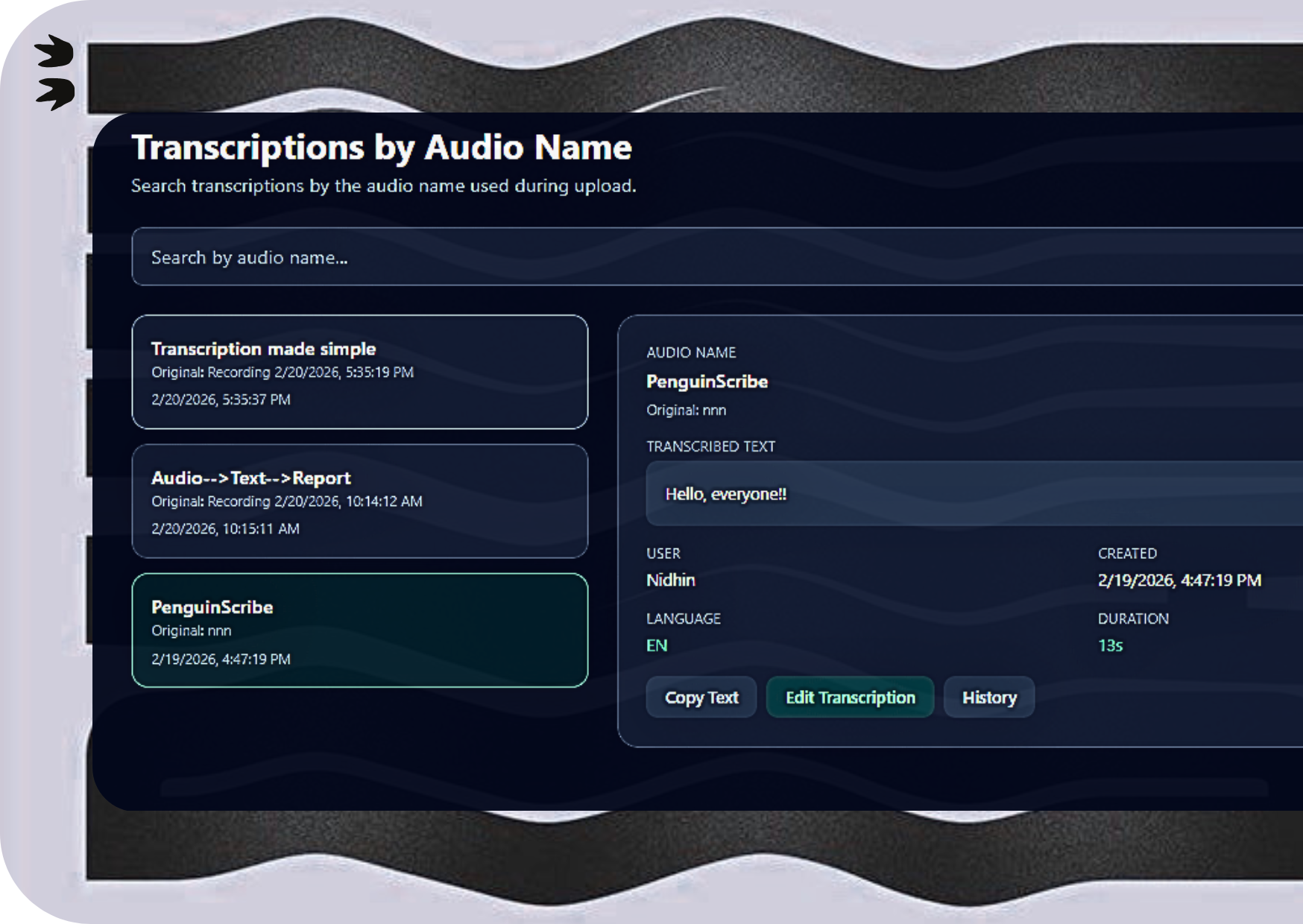
Penguin Scribe transcriptions interface

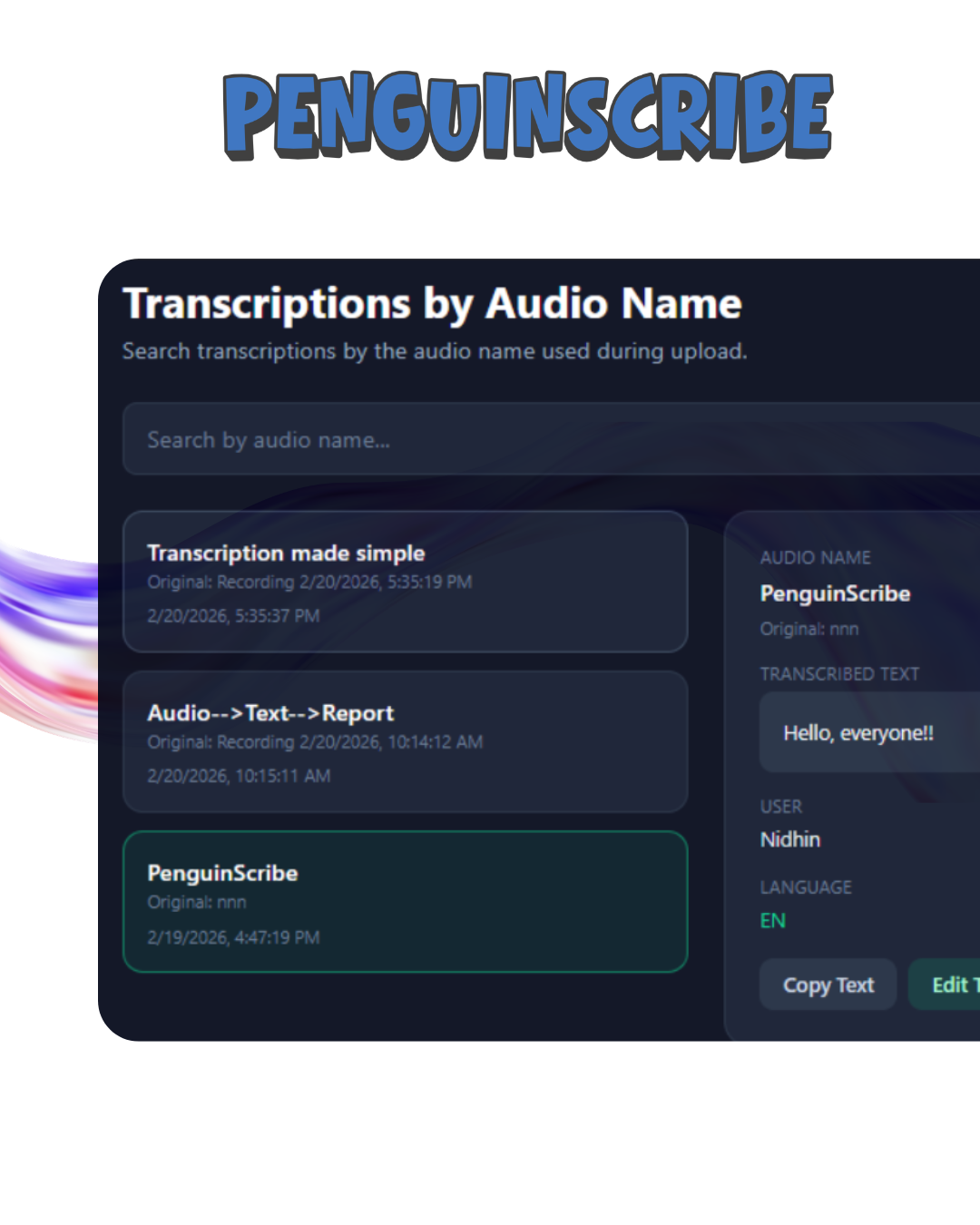
The Transcriptions module gives users and admins a centralized view of all transcription outputs within the company workspace. Filter, review, and act on transcription content without jumping between tools.

Where permissions allow, users can edit transcript content and file names after the fact — covering scenarios where transcription output needs post-processing correction or document naming conventions need to be enforced.

Every edit is traceable. The module is tightly integrated with the audit log system, so changes to transcription records leave a clear, timestamped trail that admins and superadmins can review at any time.

Refine Transcription Output for Real-World Use

Penguin Scribe formatting interface

Raw transcription text is a starting point, not a finished document. Penguin Scribe's Formatting module gives users a dedicated workflow to refine and structure transcription output into polished, usable content.

The AI-assisted formatting path helps teams clean up sentence structure, apply consistent formatting conventions, and prepare transcription text for reports, documentation, case files, or downstream tool input — without manual copy-paste workflows outside the platform.

One Centralized Library for Every Recording Your Team Saves

Penguin Scribe recordings library interface

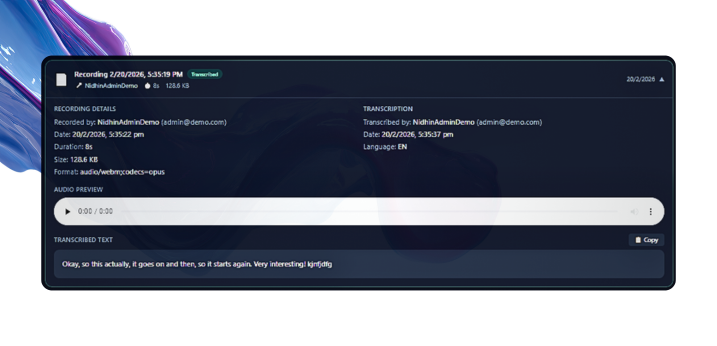
Every recording saved within Penguin Scribe is stored in a company-scoped recordings library — visible to authorized team members, organized by metadata, and ready for playback or transcription at any time.

The library surfaces the full context of every recording without requiring users to leave the platform: who recorded it, when, how long it runs, and how large the file is. Playback is available directly within the library view.

Tenant isolation is strictly enforced — users only see recordings that belong to their organization, and visibility within the organization is further controlled by role and permission settings.

Your Workspace, Configured for How You Actually Work

Penguin Scribe dashboard interface

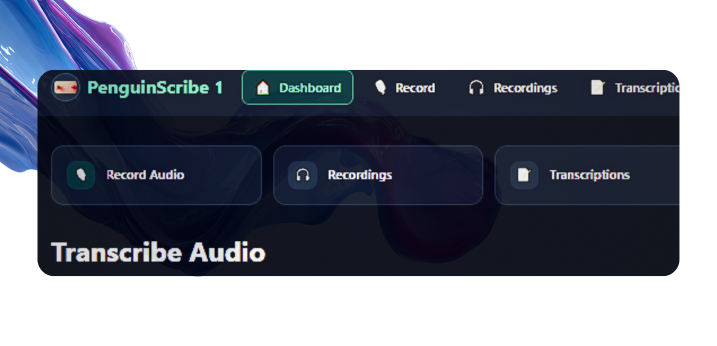
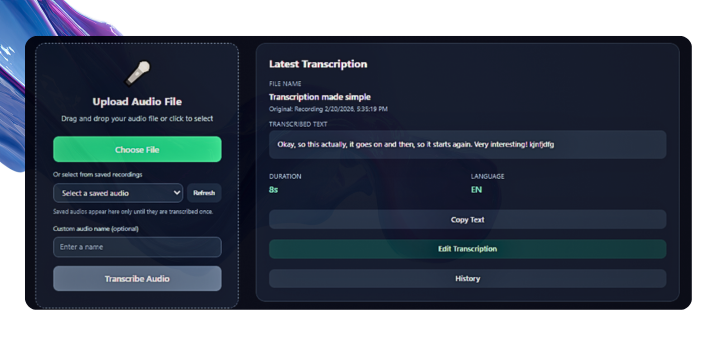
The Penguin Scribe dashboard is the central hub for day-to-day operations. From here, users can upload audio for transcription, select a saved recording from the company library, view their latest transcription output, and access the history of all recent transcriptions.

Quick action buttons surface only the modules and workflows the user has permission to access — reducing interface noise and keeping focus on what is relevant. Admin users see additional team management blocks when their permissions allow.

The dashboard is permission-aware at every level: what appears, what is clickable, and what is actionable is all determined by the user's role and assigned permissions.

Stay Informed Without Leaving the Platform

Penguin Scribe notifications interface

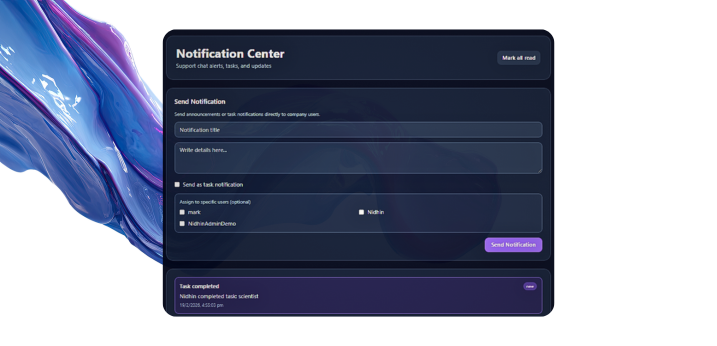
Penguin Scribe delivers in-app notifications to keep users informed about workflow events, task activity, and platform updates — all without external email threads or separate tools.

The notifications feed is user-specific and scoped to relevant activity. Notifications are retrievable, mark-as-read capable, and managed through a lifecycle-aware API that handles pagination and bounded behavior for reliability at scale.

Support Is a Feature, Not an Afterthought

Penguin Scribe support interface

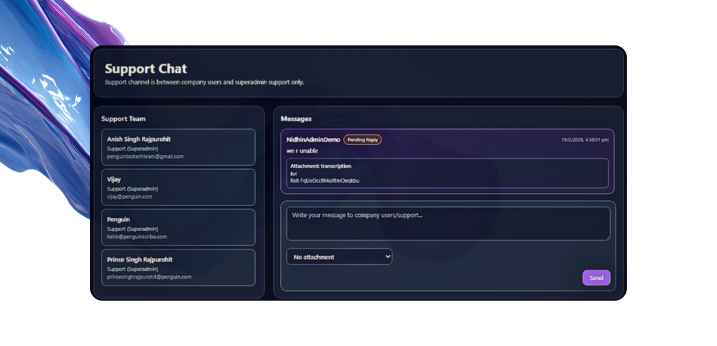
Penguin Scribe includes a built-in support messaging system so users and admins can raise issues, ask questions, and receive responses without leaving the platform.

From the user side, support messages can be submitted directly from the Support page. From the Superadmin Console, operators see open support messages, full conversation threads, and response controls from a dedicated management view.

No external ticketing integration is required to provide responsive, governed support across the platform user base.

Complete Operational Traceability — Built Into the Platform

Penguin Scribe audit logs interface

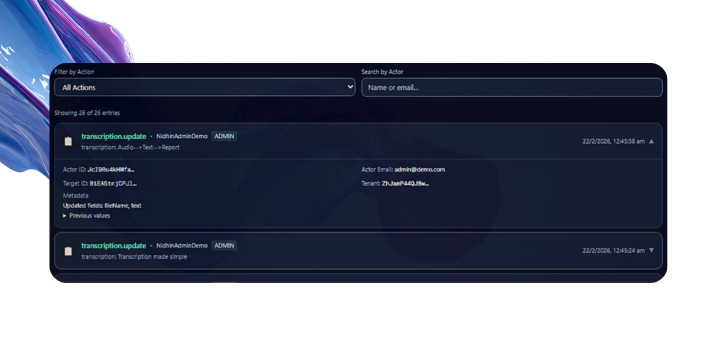
Every consequential action in Penguin Scribe generates an audit log entry. Logins, session events, edits, account changes, admin actions, and governance operations all leave a timestamped, actor-attributed record.

The Audit module surfaces records in a role-aware view: users/admins see tenant-relevant logs; superadmins see the full platform stream.

Bounded fallback behavior keeps the audit view functional even under missing Firestore index conditions.

Full Visibility and Control Over Your Team — From Within the Platform

Penguin Scribe admin controls interface

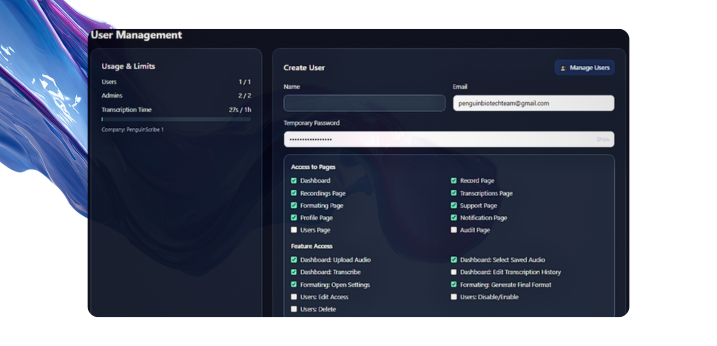
Penguin Scribe gives company admins a comprehensive user management interface to oversee every account in their organization. Invite users, assign roles, configure permissions, and manage account status — all without leaving the platform.

Permission management is granular. Admins can grant or restrict access to recordings, transcriptions, formatting, support, and audit modules without changing global role scope.

Tenant access policy adds a control layer that constrains effective permissions across the company.

Every Session Verified. Every Request Guarded.

Penguin Scribe security interface

Authentication in Penguin Scribe is a multi-layer session security system designed to prevent unauthorized access, concurrent session abuse, and identity-based attacks.

Firebase Authentication verifies credentials, while Penguin Scribe adds server-tracked session tokens. If the same account logs in elsewhere, the previous session is invalidated and conflict handling forces controlled sign-out.

Mutating API calls are hardened with CSRF protections, rate-limiting, CSP headers, deny-by-default Firestore posture, and safe error contracts that avoid leaking sensitive internals.

One Platform. Infinite Organizations. Complete Isolation.

Penguin Scribe is architected as a true multi-tenant SaaS platform from the ground up. Every company operates in its own isolated workspace — independent data, controls, policies, and usage tracking.

Tenant isolation is enforced at every layer: API tenant checks, tenant-aware UI context, and Firestore rules that prevent cross-tenant data access.

This enables one deployment to serve many organizations simultaneously without cross-contamination.

The Complete Picture

FeatureWhat It Does
In-Browser RecordingCapture audio directly in the browser — no software needed
AI TranscriptionConvert audio to structured text through a configurable pipeline
Transcription ManagementReview, edit, and organize all transcription outputs
Post-Transcription FormattingRefine and structure text for downstream use with AI assistance
Recordings LibraryCentralized, searchable, tenant-scoped recording archive
DashboardPermission-aware workspace hub for daily workflows
NotificationsIn-app, user-specific notifications for workflow events
Built-In SupportSupport messaging between users and platform operators
Audit LogsImmutable action trail for consequential platform events
Admin ControlsGranular user, role, and permission management for company admins
Session SecuritySingle-device enforcement, tracked tokens, and conflict handling
API SecurityCSRF, rate limiting, CSP, and deny-by-default data rules
Multi-Tenant ArchitectureComplete company isolation across data, access, and governance

See Every Feature in Action

The best way to understand what Penguin Scribe can do for your organization is to see it running with your workflows and your team structure in mind.

Request a demo and we will walk you through the platform from recording to governance — tailored to your use case.

No commitment required. We will get back to you within one business day.